Search results for tag #beos

 ꙮ🏡


It will be a long time before BeOS-like Tab/Windows can be stacked, not sure that's even achievable in the Spectrum's constrained memory space. But at least we get to see it's well possible to produce a theme that looks a bit like it, even in its limited capacity at this time.
#ZXOpal #ZXSpectrum #Speccy #pixelart #Spectrum #retrocomputing #BeOs

Command-line tiny (≈10k) utility for BeOS, Haiku or any POSIX system that prints the vendor name for a MAC address, using the IEEE OUI registry stored in own compact (≈1m) binary database
💾 /2 when compressed
https://github.com/princekropotkin/mac2vendor


Saving private… file attributes
A near-detective storyA week ago I wrote a small program that uses pictures, which, following good old #BeOS tradition, I stored in file attributes. The program worked, so I put it online, having zipped it with Zip-O-Matic first. I always do so. I was looking forward to feedback, but there was none. Not a single reply. I took a look at the archive and saw that it was suspiciously small: the pictures alone should have taken about a megabyte. Where did they go?
After a few minutes of searching I was stunned: plain zip does preserve metadata attributes, but only up to 64k. My pictures were dropped. Silently. The Haiku documentation says nothing about this behavior
I started looking for an alternative. GNU tar? Yes, it supports xattrs, but not in BeOS/Haiku, where for some reason it is built without xattr support. Then there is libarchive. When I googled it, their LLM elbowed its way past the other links and began assuring me that Linux and MacOS X were supported, but BeOS attributes were not, and that someone would have to write a patch, and maybe then… With a sigh I downloaded and compiled libarchive, bracing for long and tedious work, but for some reason I asked the same LLM again: “Are you sure they’re not supported?”
“Oh, what are you talking about, they have been supported since 2018!” replied the same statistical machine. 🤷♀️
I started experimenting. I created an empty folder and attached a 1.4 MB picture to it (you can do this with addattr -t raw myPic -f /path/to/picture.png /path/to/yourFolder ). I ran bsdtar… and the attributes were archived! But in a strange manner: the file blew up to three times the size, 3.3 MB. Compressing it with bz2 helped, but it was still twice as big, 2.6 MB. A strange archiver, innit?
The investigation showed that by default bsdtar writes two copies of the attributes: the binary one, SCHILY, and the base64 one, LIBARCHIVE. The magic command to turn off the latter looks like this:
bsdtar --format pax --options pax:xattrheader=SCHILY -cf a.tar
.
Remembering that and typing every time is kinda boring, right? But at that point the archive size became normal, 1.4 MB (the picture was a PNG, so it didn’t compress any further). Finally.
Next I rebooted into the neighboring 32-bit partition and took the archive there, launched Expander and… got a folder of zero size. No attributes. I installed libarchive and libarchive_tools from HaikuDepot and unpacked it successfully in the CLI. Then I remembered that Expander is just a GUI wrapper that calls command-line archivers. In this case, tar. And tar was losing the attributes. Silently. I worked out the syntax of Expander’s rules file and set up proper unpacking. After that Expander unpacked our file successfully too. You can check that the attributes survived with listattr -l
.
Here is my rules file, located at ~/config/non-packaged/data/expander/rules/all:
"application/x-xz" .tar.xz "bsdtar -Jtvf %s" "bsdtar -Jxf %s"OK. We can unpack, now we need to pack. Back to Zip-O-Matic. It has no such rules file, but its source is open. It turned out that three main patches were enough: call bsdtar instead of zip, stop bsdtar instead of zip, and fix the counter, which was off by one. The rest of the code stayed the same, apart from small things. Only the name changed, so let’s call our archiver Tarball-O-Matic. It produces tar.xz files (which Haiku already supports) and preserves attributes even when they are larger than 64K. Oh, and let me remind you once more: it requires libarchive and libarchive_tools to work.
"application/x-xz" .txz "bsdtar -Jtvf %s" "bsdtar -Jxf %s"
"" .tar.bz2 "bsdtar -jtvf %s" "bsdtar -jxf %s"
So in about two hours a working solution appeared, reusing as much existing code as possible. Based on this experience, I have a few suggestions. For an operating system that aims to be as user-friendly as possible, it is very important to have a solution that works out of the box, without unpleasant surprises. I also think it is worth considering forcing the Haiku port of libarchive to disable LIBARCHIVE records and keep only SCHILY. The user guide should definitely get a warning about the limits of zip files. And, possibly, ZipOMatic in the main tree could be replaced with TarballOMatic.
PS. TarballOMatic is attached. Place it in in #HaikuOS source root, unpack and use jam -q TarballOMatic command and then install to ~/config/non-packaged/add-ons/Tracker/ as usual
Saving private… file attributes
A near-detective storyA week ago I wrote a small program that uses pictures, which, following good old #BeOS tradition, I stored in file attributes. The program worked, so I put it online, having zipped it with Zip-O-Matic first. I always do so. I was looking forward to feedback, but there was none. Not a single reply. I took a look at the archive and saw that it was suspiciously small: the pictures alone should have taken about a megabyte. Where did they go?
After a few minutes of searching I was stunned: plain zip does preserve metadata attributes, but only up to 64k. My pictures were dropped. Silently. The Haiku documentation says nothing about this behavior
I started looking for an alternative. tar.gz? Yes, it supports xattrs, but not in BeOS/Haiku, where for some reason it is built without xattr support. Then there is libarchive. When I googled it, their LLM elbowed its way past the other links and began assuring me that Linux and MacOS X were supported, but BeOS attributes were not, and that someone would have to write a patch, and maybe then… With a sigh I downloaded and compiled libarchive, bracing for long and tedious work, but for some reason I asked the same LLM again: “Are you sure they’re not supported?”
“Oh, what are you saying, they have been supported since 2018!” replied the same statistical machine. 🤷♀️
I started experimenting. I created an empty folder and attached a 1.3 MB picture to it (you can do this with addattr -t raw myPic -f /path/to/picture.png /path/to/yourFolder ). I ran bsdtar… and the attributes were archived! But somehow in strange manner: the file blowed up to three times the size, 3.3 MB. Compressing it with bz2 helped, but it was still twice as big, 2.6 MB. A strange archiver, innit?
The investigation showed that by default bsdtar writes two copies of the attributes: the binary one, SCHILY, and the base64 one, LIBARCHIVE. The magic command to turn off the latter looks like this: bsdtar --format pax --options pax:xattrheader=SCHILY -cf a.tar
. Remembering that and typing every time is kinda boring, isn’t it? But at that point the archive size became normal, 1.4 MB (the picture was a PNG, so it didn’t compress any further). Finally.
Next I rebooted into the neighboring 32-bit partition and took the archive there, launched Expander and… got a folder of zero size. No attributes. I installed libarchive and libarchive_tools from HaikuDepot and unpacked it successfully in the CLI. Then I remembered that Expander is just a GUI wrapper that calls command-line archivers. In this case, tar. And tar was losing the attributes. Silently. I worked out the syntax of Expander’s rules file and set up proper unpacking. After that Expander unpacked our file successfully too. You can check that the attributes survived with listattr -l
.
Here is my rules file, located at ~/config/non-packaged/data/expander/rules/all:
"application/x-xz" .tar.xz "bsdtar -Jtvf %s" "bsdtar -Jxf %s"OK. We can unpack, now we need to pack. Back to Zip-O-Matic. It has no such rules file, but its source is open. It turned out that three main patches were enough: call bsdtar instead of zip, stop bsdtar instead of zip, and fix the counter, which was off by one. The rest of the code stayed the same, apart from small things. Only the name changed, so let’s call our archiver Tarball-O-Matic. It produces tar.xz files (which Haiku already supports) and preserves attributes even when they are larger than 64K. Oh, and let me remind you once more: it requires libarchive and libarchive_tools to work.
"application/x-xz" .txz "bsdtar -Jtvf %s" "bsdtar -Jxf %s"
"" .tar.bz2 "bsdtar -jtvf %s" "bsdtar -jxf %s"
So in about two hours a working solution appeared, reusing as much existing code as possible. Based on this experience, I have a few suggestions. For an operating system that aims to be as user-friendly as possible, it is very important to have a solution that works out of the box, without unpleasant surprises. I also think it is worth considering forcing the Haiku port of libarchive to disable LIBARCHIVE records and keep only SCHILY. The user guide should definitely get a warning about the limits of zip files. And, possibly, ZipOMatic in the main tree could be replaced with TarballOMatic.
PS. TarballOMatic is attached. Place it in in haiku source root, unpack and use jam -q TarballOMatic command
Правда, важный момент, надо отключить LIBARCHIVE, иначе он их дублирует в base64 и архив раздует в 3 раза. Оставить только SCHILY. Примерно так:
bsdtar --format pax --options pax:xattrheader=SCHILY -cf a.tar *
 не сделали поддержку фонов в list mode
 #Tracker ?
А вот почему: они решили, что проще и быстрее закрашивать одним цветом. При попытке вставить фоновую картинку, она начинает рваться / сжиматься гармошкой
Почему разработчики #HaikuOS это не починили за четверть века? Вот интересный вопрос, да. Возможно, не хватало рук?

На сей раз написал драйвер под #HaikuOS для вон тех смешных дополнительных кнопычек. Теперь с них можно регулировать громкость звука, как оно и было задумано (а в #Lubuntu не работает, гы). А можно не регулировать. Можно на каждую повесить батник, который будет делать какие-то другие нужные дела. Например, посылать через hey сообщения окнам и программам и управлять ими всяко. Скриптинг тут ещё со времён #BeOS …


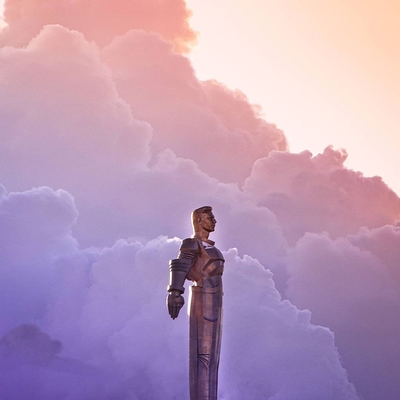
Пишут, что торговая марка #BeOS снова свободна
https://assignmentcenter.uspto.gov/search/trademark/abstract%3FserialNumber%3D78558039
То же самый #скринсейвер (чуть упрощённый на самом деле), но с другими цифрами, и — voila! цирковой трюк! Цифры меняются в файловых атрибутах #BeOS, перекомпиляция не нужна, можно сделать свой вариант
А тут наши любимые битлы шлют приветы из моря Времени, приближаясь к своим заветным 64
#lafolampo #creative #haikuOS #yellowSubmarine #theBeatles #screensaver


А давайте-ка его заюзаем. Убрав красную галку


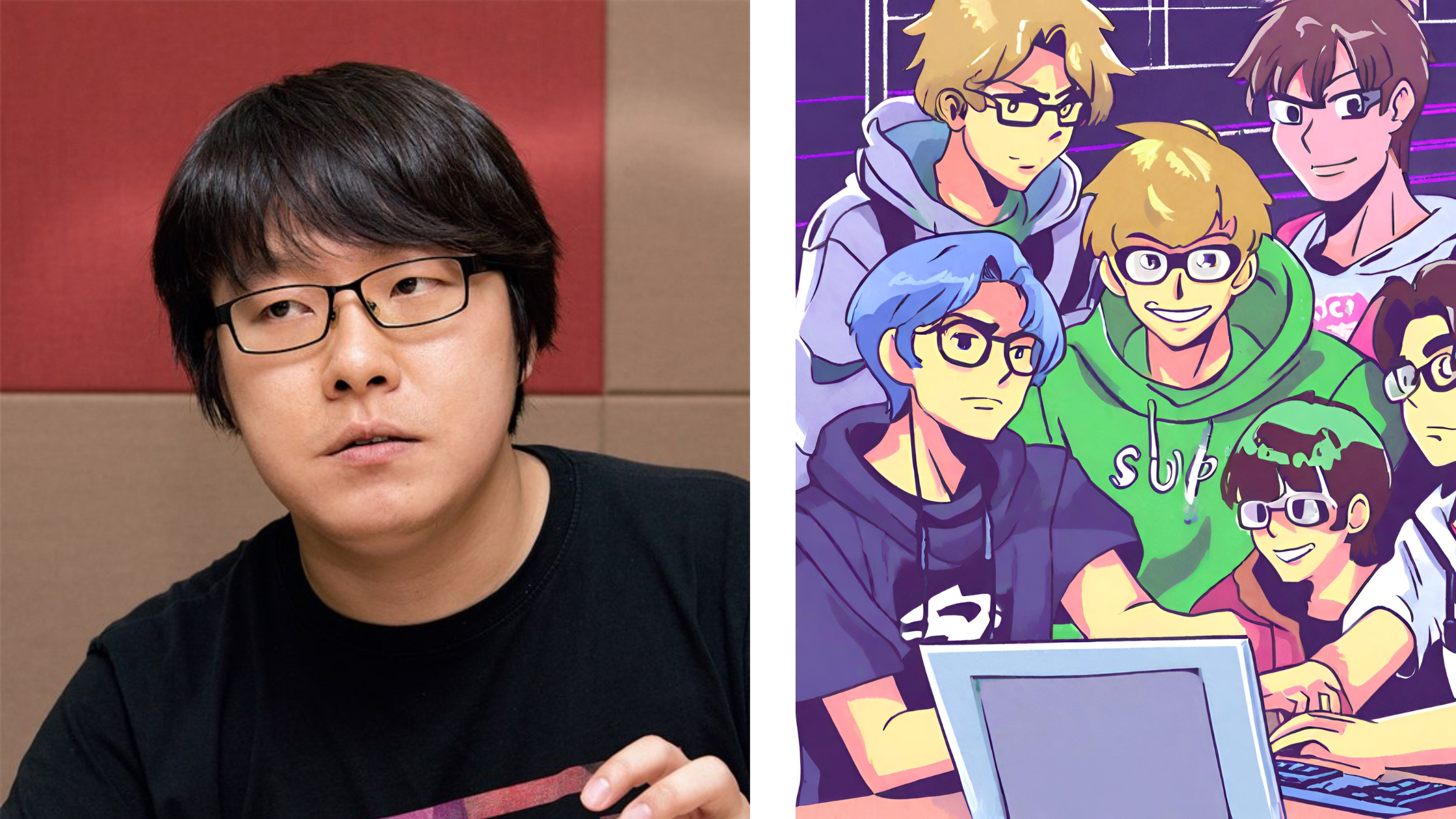
New interview on Desktop on Fire: Lee JunHaeng (rainygirl), Seoul-based developer, patched Haiku OS to run at full speed on a Sony VAIO P netbook (1600x768 display, Atom Z-series CPU), fixing a non-standard SCH chipset and a disabled second core. He also discusses Haiku's near-absence in South Korea's tech culture and his plans for Haiku on PowerPC via the Tabby project. https://www.desktoponfire.com/interview/1020/haiku-os-sony-vaio-p/ #HaikuOS #BeOS #OpenSource
Alt...
New interview on Desktop on Fire: Lee JunHaeng (rainygirl), Seoul-based developer, patched Haiku OS to run at full speed on a Sony VAIO P netbook (1600x768 display, Atom Z-series CPU), fixing a non-standard SCH chipset and a disabled second core. He also discusses Haiku's near-absence in South Korea's tech culture and his plans for Haiku on PowerPC via the Tabby project.
Haiku, у него другой формат). Иконка присваивается файлу самой картинки, если явно не указан иной файл-донор. И до кучи сделал #Tracker add-on, который её вызывает на радость юзеру.Да, я вспомнил, что уже была программа с таким функционалом в старой BeOS, я ей пользовался. Будет ещё одна, я тренируюсь


 поставить вместо дефолтного говна #helvetica, то жить можно
В #BeOS были пиздатейшие шрифты, вроде #Swiss721
Тогда я впервые на шрифты внимание начал обращать и уже не смог видеть windows без 🤮
Сам, #иишница отдыхает. Проверка кликабельности ссылок и прочая лабуда…

Функционал простейший: берёт из собственных файловых атрибутов картинку и показывает на чёрном фоне по центру экрана. The #screensaver
Наконец-то чёрная полоса заканчивается и выученная беспомощность потихоньку отпускает, доволен собой до усрачки


#bookmark: BeOS distributives http://old-dos.ru/index.php?page=files&mode=files&do=show&id=2054 BeOS — операционная система, разработанная Be Inc. как мультимедийная система нового поколения. К выгодным отличиям BeOS от других популярных в то время систем относят многопоточность, микроядерность, поддержку многопроцессорных архитектур, 64-битную журналируемую файловую систему, крайне удобный и простой пользовательский интерфейс. #BeOS

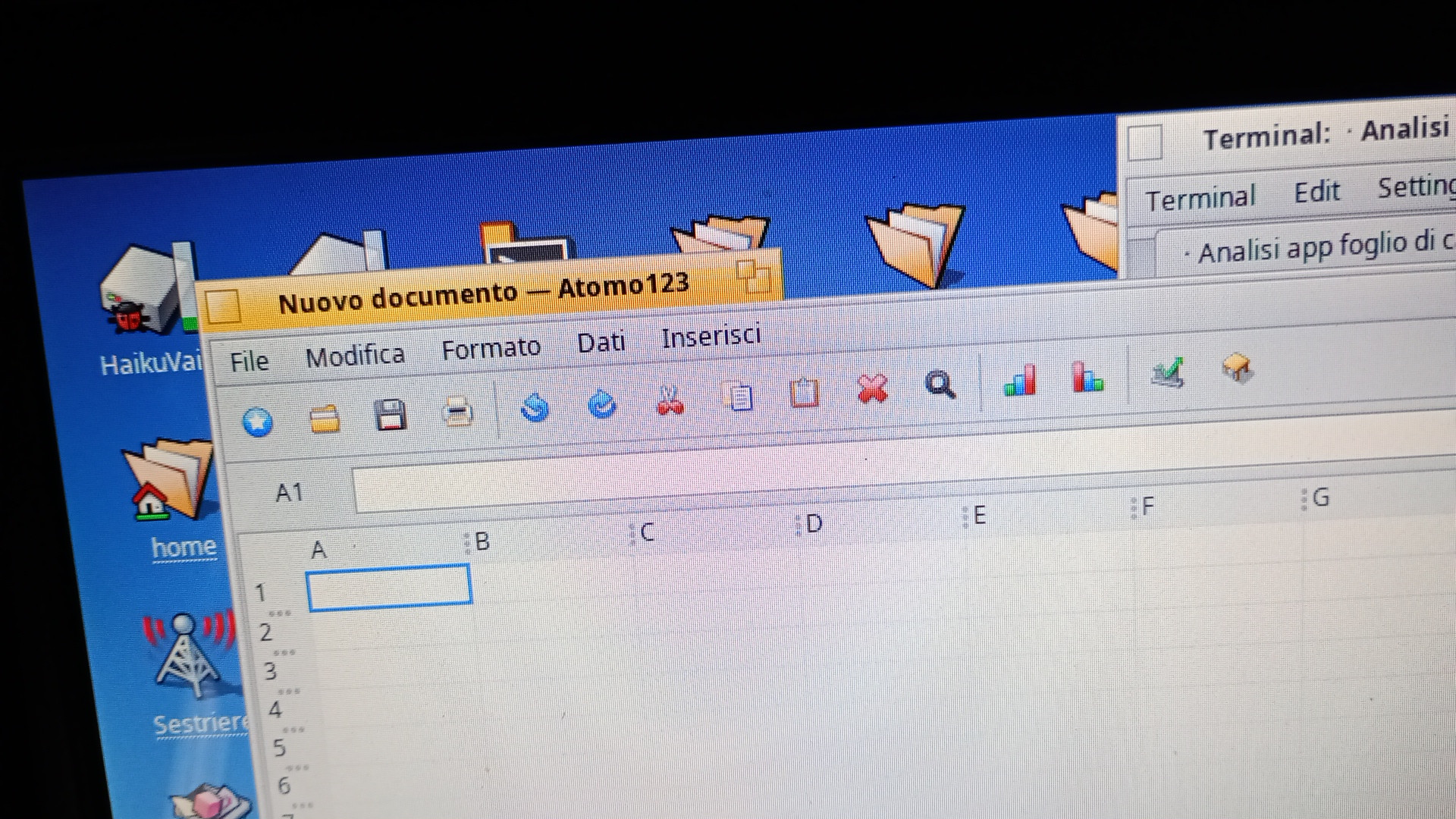
Atomo123: a native spreadsheet for Haiku, written using only the system's own APIs.
Interface and Layout Kit for the UI, Translation Kit to open CSV/XLS/XLSX/ODS (BTranslatorRoster picks the right add-on by itself), vector HVIF icons, registers itself as Tracker's preferred app. No external dependencies.
The calculation engine comes from the old BeOS Sum-It, ported to 64-bit. The UI is written from scratch.
Still early stage.
https://forum.desktoponfire.com/d/43-atomo123/7
Alt...
Atomo123: a native spreadsheet for Haiku,